What is a Recurring Invoice?
Automate your billing with invoices that generate automatically at set intervals for subscription services and ongoing business relationships.
Quick Definition
A recurring invoice is an invoice that is automatically generated and sent to customers at regular intervals (weekly, monthly, annually) for ongoing services, subscriptions, or retainers—eliminating the need for manual invoice creation each billing cycle.
- Saves time by automating repetitive billing tasks
- Ensures consistent, on-time invoice delivery
- Improves cash flow with predictable billing cycles
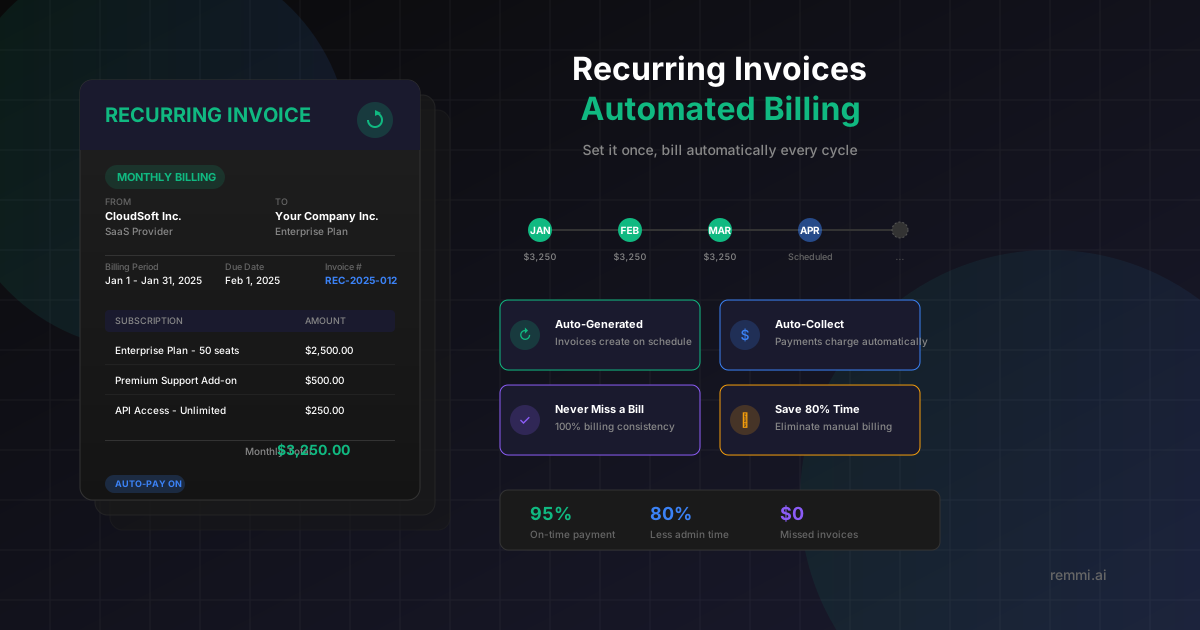
Understanding Recurring Invoices
Recurring invoices are the backbone of subscription-based business models. Instead of manually creating and sending the same invoice every billing period, a recurring invoice system automatically generates and delivers invoices based on a predefined schedule and template.
This automation is essential for businesses that provide ongoing services such as:
- SaaS subscriptions — Monthly or annual software access fees
- Professional retainers — Ongoing consulting, legal, or accounting services
- Membership fees — Gym memberships, associations, or clubs
- Maintenance contracts — Regular service agreements for equipment or property
When properly implemented, recurring invoices dramatically reduce administrative burden, improve cash flow predictability, and ensure no billing cycle is ever missed.
Key Components of Recurring Invoices
Billing Schedule
The frequency and timing of invoice generation:
- • Billing frequency
- • Start date
- • End date (if applicable)
- • Invoice generation day
Invoice Template
The reusable invoice structure:
- • Line items
- • Pricing and quantities
- • Payment terms
- • Custom fields
Automation Rules
Settings that control the process:
- • Auto-send settings
- • Payment reminders
- • Late payment handling
- • Auto-pay configuration
Common Billing Frequencies
Short-Cycle Billing
- •Weekly — Cleaning, tutoring, recurring services
- •Bi-weekly — Payroll-aligned services
- •Monthly — Most SaaS and subscriptions
Long-Cycle Billing
- •Quarterly — Consulting retainers, insurance
- •Semi-annually — Maintenance contracts
- •Annually — Enterprise software, memberships
Why Recurring Invoices Matter
Reduction in billing admin time
On-time payment rate with auto-pay
Missed billing cycles
Recurring invoices transform billing from a manual, error-prone task into an automated, reliable process. Businesses using recurring billing report significant improvements in cash flow predictability and dramatic reductions in late payments.
How Recurring Invoices Work
Create Invoice Template
Set up a recurring invoice with customer details, line items, pricing, and payment terms that will repeat each cycle.
Define Schedule
Specify the billing frequency (monthly, quarterly, etc.), start date, and optionally an end date or number of occurrences.
Configure Automation
Set up auto-send preferences, payment reminders, and whether to automatically charge stored payment methods.
Automatic Generation
On each billing date, the system automatically creates a new invoice from the template with updated dates and invoice numbers.
Delivery & Collection
Invoice is automatically sent to the customer via email, and payment is collected via auto-pay or customer action.
Track & Manage
Monitor payment status, handle failed payments, and adjust recurring settings as needed through your billing dashboard.
Recurring Invoice Best Practices
Enable Auto-Pay When Possible
Combine recurring invoices with automatic payment collection to create a fully hands-off billing cycle.
Communicate Changes in Advance
Always notify customers before price changes take effect, following contract terms and giving adequate notice.
Offer Multiple Billing Frequencies
Give customers choice between monthly and annual billing, often with a discount for annual commitment.
Set Up Payment Reminders
Configure automatic reminders before due dates and after missed payments to maintain healthy cash flow.
Monitor Failed Payment Metrics
Track failed payment rates and recovery rates as key metrics for subscription revenue health.
Common Recurring Invoice Mistakes to Avoid
- ×Not validating payment methods — Expired cards cause failed payments; prompt updates proactively
- ×Ignoring failed payment recovery — Set up proper dunning sequences to recover failed charges
- ×No clear cancellation process — Make it easy to pause or cancel to maintain customer trust
- ×Surprise price increases — Always communicate pricing changes well in advance
Recurring vs One-Time Invoices
| Aspect | Recurring Invoice | One-Time Invoice |
|---|---|---|
| Creation | Automatic, scheduled | Manual, per transaction |
| Best For | Subscriptions, retainers | Project work, one-time sales |
| Admin Effort | Set up once, runs automatically | Created each time |
| Cash Flow | Predictable, recurring | Variable, project-based |
Related Terms
Invoice
Document requesting payment for goods or services
Accounts Payable
Department managing vendor invoices and payments
AP Automation
Technology to automate accounts payable processes
Vendor
Supplier providing goods or services to your business
Payment Terms
Conditions governing when and how payment is due
Accounts Receivable
Money owed to a company by its customers